

MTJ Job Solutions: How an ITGC Course in Hyderabad Gave Ravi a Real Career Path

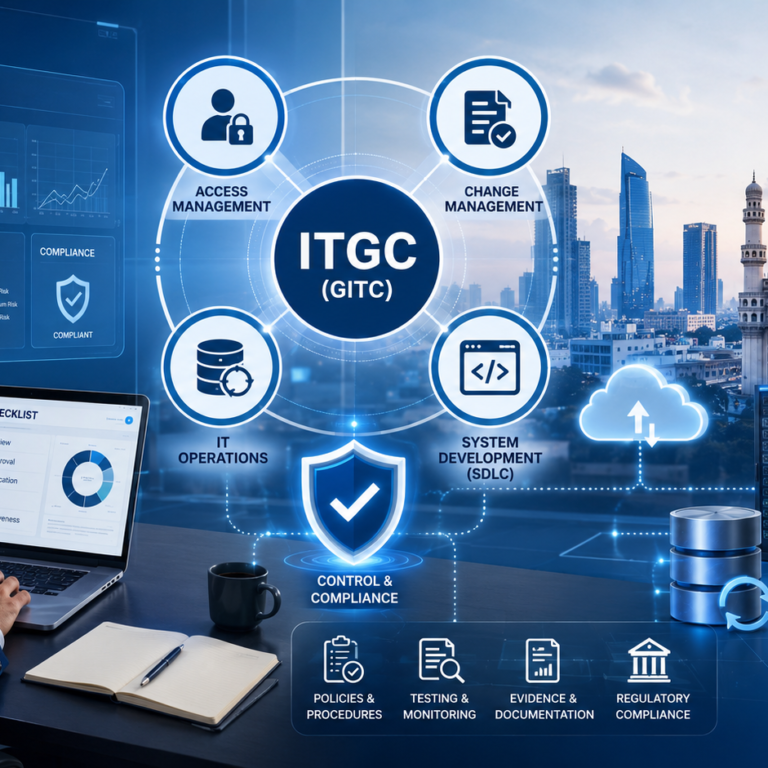
MTJ Job Solutions: How an ITGC Course in Hyderabad Gave Ravi a Real Career Path Ravi sat on the edge of his bed in a small rented room in Hyderabad, scrolling through job portals on his phone. He had finished his degree two years earlier. He had sent more than sixty applications. Four companies had replied, and none of those replies had led anywhere. His cousin, who worked at a large company, kept telling him the same thing. “A degree is not enough anymore. You need a skill that companies are actively looking for.” Ravi would nod, but he never knew which skill to choose. Coding felt crowded. Testing felt confusing. And words like audit and compliance sounded like something only accountants understood. Then one evening a friend sent him a message with a name he had never heard before: MTJ Job Solutions. “They train you and help with jobs,” the friend wrote. “Just go and see.” What Is MTJ Job Solutions? Ravi opened the website that night and started reading. MTJ Job Solutions is the training and placement platform of M&T Technologies. Many students simply search for it as MTJ Hyderabad or MTJ company Hyderabad, so if you have heard either name, it is the same place. The company says it has trained more than 94000 students across over fifty software technologies. It also says it offers resume preparation, interview practice, and placement support along with its courses, and that it teaches both online and in a classroom. Ravi was careful. He treated every number as a claim to check, not a promise to believe. He planned to attend a demo class, ask questions, and speak to past students before paying anything. That is smart advice for anyone choosing any institute, not only this one. ITGC in Plain Words One course name kept catching his eye: ITGC. He had no idea what it meant. ITGC stands for IT general controls. Picture a big office building. It has locks on the doors, a guard at the gate, a visitor register, cameras, and a safe for important papers. Now picture the same idea for a company’s computers. ITGC are the basic rules and checks that keep a company’s technology safe and trustworthy. They cover a few main areas. Access is about who can log in to which system, and whether the right people have the right permissions. Change management is about how updates to software are requested, approved, and tested before they go live. IT operations and backup is about whether daily jobs run properly and whether data can be recovered if something breaks. ITGC apply across the whole IT setup of a company, unlike application controls, which live inside one particular system. Companies need them to follow rules and standards such as SOX and ISO 27001, and auditors check them during SOC 1 and SOC 2 reviews. “So an ITGC auditor is like a careful inspector for the computer world,” Ravi said to himself. “I can understand that.” Why an ITGC Course in Hyderabad Makes Sense Ravi searched for an ITGC course in Hyderabad and noticed something. Many job postings from large firms in the city asked for the same things: ITGC, application controls, SOX, SOC reports, and some knowledge of business systems such as SAP or Oracle. They also asked for good communication skills, because auditors spend a lot of time talking to teams and writing reports. He also learned that you do not have to be a cyber security specialist to enter this field. Banks, software companies, healthcare firms, and telecom companies all need people who can check that IT controls work. Business and technology knowledge, plus patience and attention to detail, take you a long way. The usual path starts with an audit associate role, then moves to auditor, senior auditor, and manager. Certifications such as CISA can help you move faster. Ravi did notice that many senior postings asked for three or more years of experience. That told him something important. Theory alone would not be enough. He needed ITGC training in Hyderabad that gave him practice, real examples, and help preparing for interviews. What ITGC Training at MTJ Hyderabad Covers The ITGC course page at MTJ Job Solutions describes complete IT audit training that includes ISO 27001, SOX, and SOC 1 and 2, along with preparation for certifications such as CISA. It is taught by a senior ITGC consultant with nine years of experience, and it is available online and offline. Ravi made a list of what he wanted to see in the syllabus, and you can do the same: Access management: creating users, removing users, reviews, and privileged access. Change management: how changes are approved, tested, and moved to live systems. IT operations: backups, job monitoring, and incident handling. Evidence and documentation: how to collect proof and write clear audit findings. Frameworks: SOX, ISO 27001, SOC 1, and SOC 2 explained in simple language. He liked the fourth point most. Audit work is not about opinions. It is about proof. A good ITGC trainer teaches you how to ask for the right screenshot, report, or approval record, and how to explain a gap so a manager can act on it. Ravi also decided on a simple plan for himself. Attend every class, revise the same evening, practise explaining each control in his own words, and do a mock interview every weekend. Small habits, he felt, would matter more than big promises. A Day in the Life of an ITGC Auditor Ravi wanted to know what the job looks like day to day. He learned that an ITGC auditor might start the morning by reviewing a list of employees who left the company last month, then check whether their system access was removed on time. Later, the auditor might sit with a software team to understand how a recent update was approved and tested. In the afternoon comes documentation: writing down what was checked, what was found, and what should be fixed. A typical

MTJ Job Solutions: How an ITGC Course in Hyderabad Gave Ravi a Real Career Path Read More »

ITGC in Real Life: What Happens Behind Your Login?

Every day, millions of employees log in to business applications such as SAP, Oracle, Workday, ServiceNow, Microsoft 365, Salesforce, and other enterprise systems. We usually enter a username, provide a password or approve an MFA request, and start working. But have you ever wondered what happens behind that simple login? How does the organization know that you are really you? How does it decide what you are allowed to access? What happens when you change departments? And most importantly, what happens to your access when you leave the company? These questions are closely connected to IT General Controls (ITGC). ITGC is a set of controls designed to help organizations maintain the security, reliability, availability, and integrity of their IT systems and data. Although ITGC is commonly discussed in audits and compliance programs, its impact can be seen in everyday activities such as logging in, requesting access, changing systems, and protecting company data. What Is ITGC? ITGC stands for Information Technology General Controls. In simple terms, ITGC provides the foundation for controlling how an organization’s IT environment operates. ITGC commonly covers areas such as: Access Management Change Management IT Operations Backup and Recovery Incident Management Logging and Monitoring Security Administration For example, when an employee receives access to SAP, that access should normally be based on their job responsibilities and approved by an appropriate person. Similarly, when an employee leaves the organization, their access should be removed within the required timeframe. ITGC Area Simple Real-Life Example Access Management Employee receives access based on their role Change Management Application changes require approval Backup Critical company data is backed up Incident Management System issues are recorded and resolved Logging & Monitoring Important user activities are logged Recovery Systems can be restored after an outage What Actually Happens Behind Your Login? Let’s take a simple example. Imagine Rahul joins a financial services company as an Accounts Payable Analyst. On his first day, Rahul needs access to: Email Microsoft Teams SAP HR application Expense management system Rahul should not automatically receive administrator access to every application. Instead, the organization follows an access management process. Step 1: Employee Joins the Organization HR creates Rahul’s employee record. The employee’s: Name Employee ID Department Job title Manager Joining date are recorded in the HR system. This information may be used by downstream systems to initiate the access provisioning process. Step 2: Access Is Requested Rahul’s manager may request access to the applications he needs. For example: “Rahul requires Accounts Payable access in SAP.” The request should identify what access is required and why. Step 3: Approval Takes Place The appropriate manager or application owner reviews the request. If the request is appropriate, it is approved. This creates an important control: Access should not simply be granted because someone asks for it. There should be an authorization process. Step 4: Access Is Provisioned Once approved, the appropriate IT or IAM team provisions Rahul’s account. For example: Rahul → SAP → Accounts Payable Role Rahul should receive only the permissions required for his job. This is known as the Least Privilege principle. Identification, Authentication and Authorization One of the easiest ways to understand ITGC is through the three concepts involved in accessing a system. Concept Meaning Example Identification Who are you? Username / Employee ID Authentication Can you prove who you are? Password + MFA Authorization What are you allowed to do? SAP Accounts Payable role Identification The system identifies the user through something such as a username or employee ID. Authentication The system verifies the user’s identity. This could involve: Password MFA Security key Biometrics Single Sign-On Authorization After authentication, the system determines what the user can access. For example, Rahul may be able to create invoices but may not be authorized to approve payments. That separation is important from a control perspective. What Happens When an Employee Changes Roles? Now imagine Rahul moves from the Accounts Payable team to the Procurement team. His old access may no longer be appropriate. This is called a Mover scenario in the Joiner-Mover-Leaver process. The organization should review Rahul’s existing access and determine: What access should be removed? What new access should be provided? For example: Before Transfer After Transfer Accounts Payable Role Procurement Role Invoice Processing Purchase Order Processing AP Reports Procurement Reports Old permissions Revised permissions If the old access is not removed, Rahul could potentially retain unnecessary privileges. This is one reason why periodic User Access Reviews (UARs) are important. What Happens When an Employee Leaves? Now comes one of the most important ITGC scenarios. Suppose Rahul leaves the company. Should he still be able to log into SAP? No. The organization’s termination process should trigger removal or disabling of his access. The process may look like this: HR records termination → IAM/IT receives notification → Account disabled → Application access removed → Evidence retained Auditors may test whether terminated employees had access after their termination date. For example: Employee Termination Date Account Disabled Exception Rahul June 10 June 10 No Employee B June 15 June 15 No Employee C June 20 June 22 Yes The third employee may require investigation because access remained active after termination. What Does an ITGC Auditor Do? An ITGC auditor doesn’t simply ask: “Do you have access controls?” The auditor looks for evidence that the controls are designed appropriately and operated effectively. For an access control, an auditor may: Understand the access provisioning process. Identify the control owner. Obtain the population of users or access requests. Select samples. Review approvals. Verify that access matches the user’s role. Check whether access was provisioned appropriately. Document the testing results. Investigate exceptions. For a User Access Review, the auditor may examine whether the reviewer actually reviewed the appropriate population and whether inappropriate access was identified and addressed. ITGC Is More Than Just Login Security Although login access is an easy way to understand ITGC, ITGC covers much more. Consider a company deploying a new feature to its financial application. Can a developer simply make a

ITGC in Real Life: What Happens Behind Your Login? Read More »

Why ITGC Is Important for Every Organization

Why ITGC Is Important for Every Organization

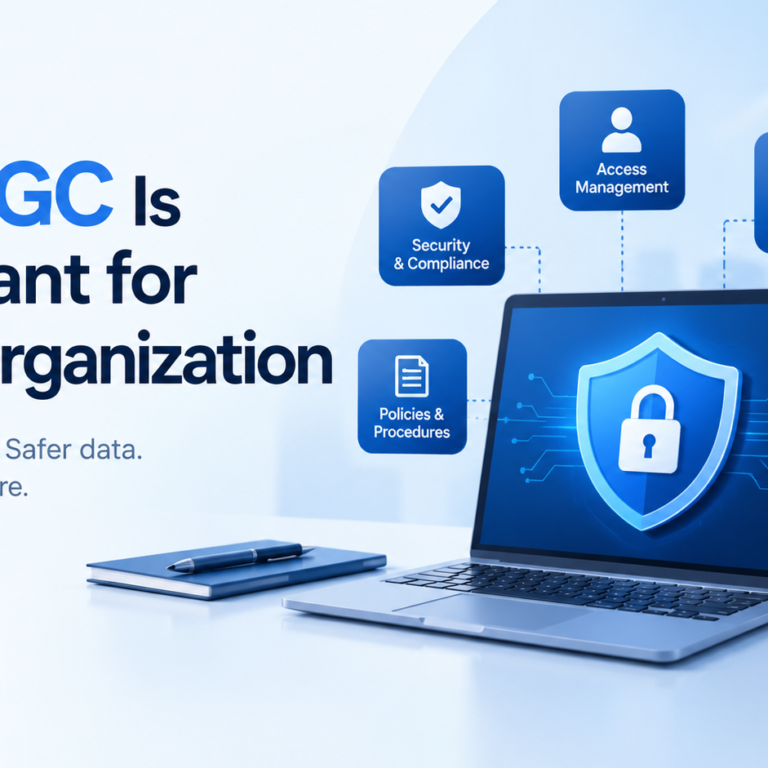
In today’s digital business environment, almost every organization depends on technology to perform daily operations. Companies use applications to manage customer information, financial transactions, employee records, payments, communication, and business processes. While technology makes business faster and more efficient, it also creates risks related to security, access, data accuracy, and system reliability. This is where Information Technology General Controls (ITGC) become important. ITGC refers to the controls, policies, and procedures used to manage and protect an organization’s IT environment. These controls help ensure that technology systems operate properly, information remains secure, and important business processes are supported by reliable IT systems. ITGC is not limited to large multinational companies. Organizations of different sizes and industries can benefit from having appropriate IT controls in place. What Is ITGC? Information Technology General Controls, commonly called ITGC, are controls that support the overall IT environment of an organization. Unlike application-specific controls that focus on individual transactions or business applications, ITGC focuses on the broader technology environment. These controls help create a secure and controlled foundation for applications and business processes. Common areas covered under ITGC include: Access management Change management IT operations Backup and recovery User account management Incident management System development and implementation IT policies and procedures Security monitoring For example, when an employee joins an organization, there should be a process for creating the required user account and providing appropriate access. When the employee leaves, access should be removed or disabled. These activities are examples of access management controls. Why Is ITGC Important? The importance of ITGC has increased as businesses have become more dependent on technology. A weakness in an IT environment can affect data, applications, business operations, and even financial reporting. Here are some important reasons why organizations need ITGC. 1. Protects Sensitive Information Organizations handle large amounts of sensitive information every day. This may include customer information, employee data, financial records, business documents, passwords, and confidential company information. Without appropriate controls, unauthorized individuals may gain access to sensitive systems or information. ITGC helps organizations establish processes for controlling who can access systems and what level of access they should receive. For example, an employee working in HR may need access to employee-related systems but may not need access to financial applications. Appropriate access controls help reduce unnecessary access. 2. Controls User Access Access management is one of the major areas of ITGC. Organizations need to ensure that users receive access based on their job responsibilities. Access should also be reviewed regularly to identify unnecessary or inappropriate permissions. Important access management activities can include: User creation User modification User termination Password management Privileged access management Periodic access reviews Segregation of duties Consider an employee who changes departments. If their previous system access is not removed, they may continue to have permissions that are no longer required. Proper ITGC processes help organizations manage these situations. 3. Reduces Technology-Related Risks Every IT environment has risks. Systems can experience unauthorized changes, incorrect configurations, security incidents, application failures, or data loss. ITGC provides a structured approach to identifying and controlling these risks. For example, change management controls can require changes to be requested, reviewed, tested, approved, and documented before being moved into production. This reduces the possibility of an untested change causing problems in an important business application. 4. Supports Reliable Financial Reporting Technology plays an important role in financial reporting. Organizations often use ERP systems, accounting applications, databases, and other technology platforms to process financial information. If access to these systems is not properly controlled or if unauthorized changes are made, the reliability of financial information can be affected. Strong ITGC can provide supporting evidence that important systems are operating under controlled processes. This is one reason ITGC is commonly associated with frameworks and audits related to financial reporting. 5. Helps During IT Audits Audits require organizations to demonstrate that appropriate controls exist and are operating effectively. During an ITGC audit, auditors may review areas such as: User access Access reviews Terminated user accounts Change requests Change approvals Backup procedures Incident records IT policies System operations Evidence of control performance Organizations with clearly documented processes can make the audit process more structured. Good documentation also helps organizations understand how their controls operate and where improvements may be required. Major Areas of ITGC Although ITGC frameworks can differ between organizations, several control areas are commonly reviewed. Access Management Access management ensures that users have appropriate permissions based on their responsibilities. Controls may cover employee onboarding, role changes, termination, privileged accounts, and periodic access reviews. Change Management Applications and infrastructure are regularly changed to fix problems, introduce new features, or improve performance. Change management controls help ensure that changes are properly requested, tested, reviewed, approved, and implemented. IT Operations IT operations controls focus on the day-to-day functioning of technology systems. This can include job monitoring, system monitoring, incident management, scheduled activities, and operational procedures. Backup and Recovery Organizations need reliable methods for protecting important data. Backup controls help ensure that important information is backed up appropriately and that recovery procedures are available when required. Organizations may also conduct recovery testing to understand whether systems and data can be restored successfully. System Development and Implementation When organizations develop or implement new systems, controls help ensure that development, testing, approval, and deployment activities are appropriately managed. This helps reduce the risks associated with introducing new technology into the production environment. What Happens When ITGC Is Weak? Weak ITGC can create several risks. For example, if terminated employees continue to have access to company systems, there may be an unauthorized access risk. If changes are made directly to production systems without proper testing or approval, system failures or unexpected behavior may occur. Similarly, if backups are not properly monitored or tested, an organization may face difficulties recovering important information after a system failure. Weak documentation can also make it difficult for an organization to demonstrate that controls are operating effectively during an audit. The impact of these weaknesses can vary depending on the organization’s size, systems,

Why ITGC Is Important for Every Organization Read More »

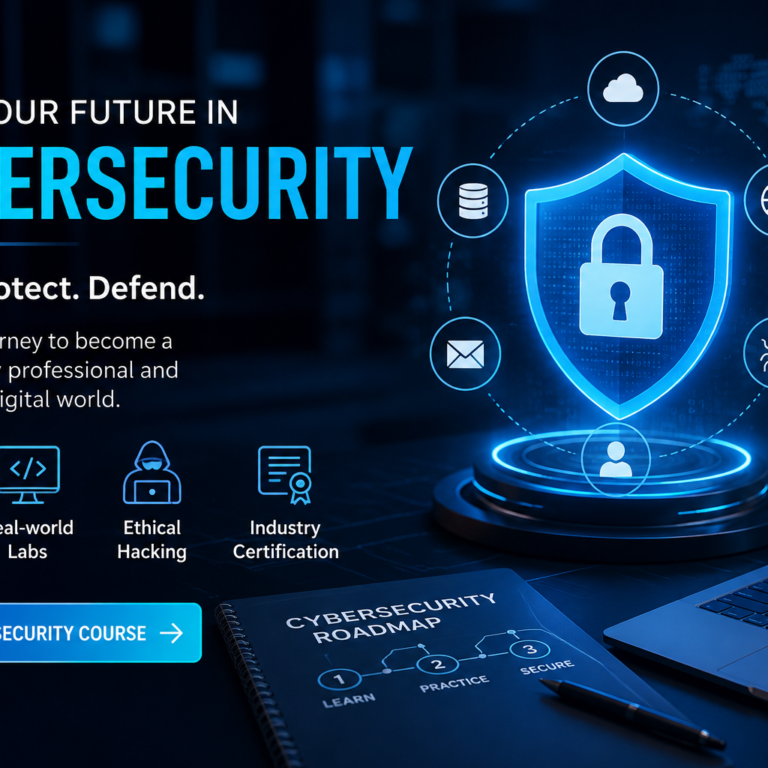
Cybersecurity Future Starts Here

Cybersecurity Career for Students: Skills, Courses, and Future Opportunities

Cybersecurity has become one of the most important and rapidly growing fields in the technology industry. As businesses, governments, and individuals increasingly depend on digital systems, the demand for cybersecurity professionals continues to grow. For students interested in technology, cybersecurity offers exciting career opportunities in areas such as ethical hacking, penetration testing, cloud security, digital forensics, security operations, and risk management. Why Should Students Learn Cybersecurity? Cyberattacks are becoming more advanced, creating a growing need for professionals who can identify vulnerabilities, protect networks, secure applications, and respond to security incidents. Students who start learning cybersecurity early can develop practical technical skills and build a strong foundation for a successful IT career. Cybersecurity is also a field where continuous learning is important. Students can begin with basic computer and networking concepts and gradually move into advanced security technologies and tools. What Does a Cybersecurity Course Teach? A good cybersecurity course can help students understand both fundamental concepts and practical security techniques. Depending on the course level, students may learn: Practical labs and real-world scenarios can help students understand how cybersecurity attacks happen and how security professionals detect and prevent them. Career Opportunities in Cybersecurity After developing the necessary skills, students can explore various cybersecurity career paths. Some popular roles include: Cybersecurity Analyst: Monitors systems, investigates security alerts, and helps organizations respond to threats. Ethical Hacker: Identifies security weaknesses by legally testing networks, applications, and systems. Security Engineer: Designs and implements security solutions to protect IT infrastructure. Penetration Tester: Performs authorized security testing to discover vulnerabilities before attackers can exploit them. Digital Forensics Analyst: Investigates digital evidence and security incidents to determine what happened and how an attack occurred. Cloud Security Professional: Helps protect cloud infrastructure, applications, and data from security threats. How Students Can Start Learning Cybersecurity Students do not need to become experts immediately. The best approach is to build knowledge step by step. Start with computer fundamentals, networking, Linux, Windows, and basic programming. Then move into cybersecurity concepts such as authentication, encryption, vulnerabilities, malware, phishing, and network attacks. After learning the fundamentals, students can practice using cybersecurity labs and security tools. Hands-on experience can help them understand concepts much better than studying theory alone. Certifications and Practical Skills Certifications can also help students demonstrate their knowledge to potential employers. However, certifications should be combined with practical experience. Building projects, participating in cybersecurity labs, solving security challenges, and creating a strong technical portfolio can make a student’s profile more competitive. Conclusion Cybersecurity offers students a promising technology career with opportunities across multiple industries. By developing strong fundamentals, gaining hands-on experience, and completing a structured cybersecurity course, students can build the knowledge and confidence needed to enter the cybersecurity field. Starting early and consistently improving technical skills can help students prepare for the growing demand for cybersecurity professionals.

Cybersecurity Career for Students: Skills, Courses, and Future Opportunities Read More »

Scroll to Top