Author name: Enosh

ITGC in Real Life: What Happens Behind Your Login?

Every day, millions of employees log in to business applications such as SAP, Oracle, Workday, ServiceNow, Microsoft 365, Salesforce, and other enterprise systems. We usually enter a username, provide a password or approve an MFA request, and start working. But have you ever wondered what happens behind that simple login? How does the organization know that you are really you? How does it decide what you are allowed to access? What happens when you change departments? And most importantly, what happens to your access when you leave the company? These questions are closely connected to IT General Controls (ITGC). ITGC is a set of controls designed to help organizations maintain the security, reliability, availability, and integrity of their IT systems and data. Although ITGC is commonly discussed in audits and compliance programs, its impact can be seen in everyday activities such as logging in, requesting access, changing systems, and protecting company data. What Is ITGC? ITGC stands for Information Technology General Controls. In simple terms, ITGC provides the foundation for controlling how an organization’s IT environment operates. ITGC commonly covers areas such as: Access Management Change Management IT Operations Backup and Recovery Incident Management Logging and Monitoring Security Administration For example, when an employee receives access to SAP, that access should normally be based on their job responsibilities and approved by an appropriate person. Similarly, when an employee leaves the organization, their access should be removed within the required timeframe. ITGC Area Simple Real-Life Example Access Management Employee receives access based on their role Change Management Application changes require approval Backup Critical company data is backed up Incident Management System issues are recorded and resolved Logging & Monitoring Important user activities are logged Recovery Systems can be restored after an outage What Actually Happens Behind Your Login? Let’s take a simple example. Imagine Rahul joins a financial services company as an Accounts Payable Analyst. On his first day, Rahul needs access to: Email Microsoft Teams SAP HR application Expense management system Rahul should not automatically receive administrator access to every application. Instead, the organization follows an access management process. Step 1: Employee Joins the Organization HR creates Rahul’s employee record. The employee’s: Name Employee ID Department Job title Manager Joining date are recorded in the HR system. This information may be used by downstream systems to initiate the access provisioning process. Step 2: Access Is Requested Rahul’s manager may request access to the applications he needs. For example: “Rahul requires Accounts Payable access in SAP.” The request should identify what access is required and why. Step 3: Approval Takes Place The appropriate manager or application owner reviews the request. If the request is appropriate, it is approved. This creates an important control: Access should not simply be granted because someone asks for it. There should be an authorization process. Step 4: Access Is Provisioned Once approved, the appropriate IT or IAM team provisions Rahul’s account. For example: Rahul → SAP → Accounts Payable Role Rahul should receive only the permissions required for his job. This is known as the Least Privilege principle. Identification, Authentication and Authorization One of the easiest ways to understand ITGC is through the three concepts involved in accessing a system. Concept Meaning Example Identification Who are you? Username / Employee ID Authentication Can you prove who you are? Password + MFA Authorization What are you allowed to do? SAP Accounts Payable role Identification The system identifies the user through something such as a username or employee ID. Authentication The system verifies the user’s identity. This could involve: Password MFA Security key Biometrics Single Sign-On Authorization After authentication, the system determines what the user can access. For example, Rahul may be able to create invoices but may not be authorized to approve payments. That separation is important from a control perspective. What Happens When an Employee Changes Roles? Now imagine Rahul moves from the Accounts Payable team to the Procurement team. His old access may no longer be appropriate. This is called a Mover scenario in the Joiner-Mover-Leaver process. The organization should review Rahul’s existing access and determine: What access should be removed? What new access should be provided? For example: Before Transfer After Transfer Accounts Payable Role Procurement Role Invoice Processing Purchase Order Processing AP Reports Procurement Reports Old permissions Revised permissions If the old access is not removed, Rahul could potentially retain unnecessary privileges. This is one reason why periodic User Access Reviews (UARs) are important. What Happens When an Employee Leaves? Now comes one of the most important ITGC scenarios. Suppose Rahul leaves the company. Should he still be able to log into SAP? No. The organization’s termination process should trigger removal or disabling of his access. The process may look like this: HR records termination → IAM/IT receives notification → Account disabled → Application access removed → Evidence retained Auditors may test whether terminated employees had access after their termination date. For example: Employee Termination Date Account Disabled Exception Rahul June 10 June 10 No Employee B June 15 June 15 No Employee C June 20 June 22 Yes The third employee may require investigation because access remained active after termination. What Does an ITGC Auditor Do? An ITGC auditor doesn’t simply ask: “Do you have access controls?” The auditor looks for evidence that the controls are designed appropriately and operated effectively. For an access control, an auditor may: Understand the access provisioning process. Identify the control owner. Obtain the population of users or access requests. Select samples. Review approvals. Verify that access matches the user’s role. Check whether access was provisioned appropriately. Document the testing results. Investigate exceptions. For a User Access Review, the auditor may examine whether the reviewer actually reviewed the appropriate population and whether inappropriate access was identified and addressed. ITGC Is More Than Just Login Security Although login access is an easy way to understand ITGC, ITGC covers much more. Consider a company deploying a new feature to its financial application. Can a developer simply make a

ITGC in Real Life: What Happens Behind Your Login? Read More »
Why ITGC Is Important for Every Organization

Why ITGC Is Important for Every Organization

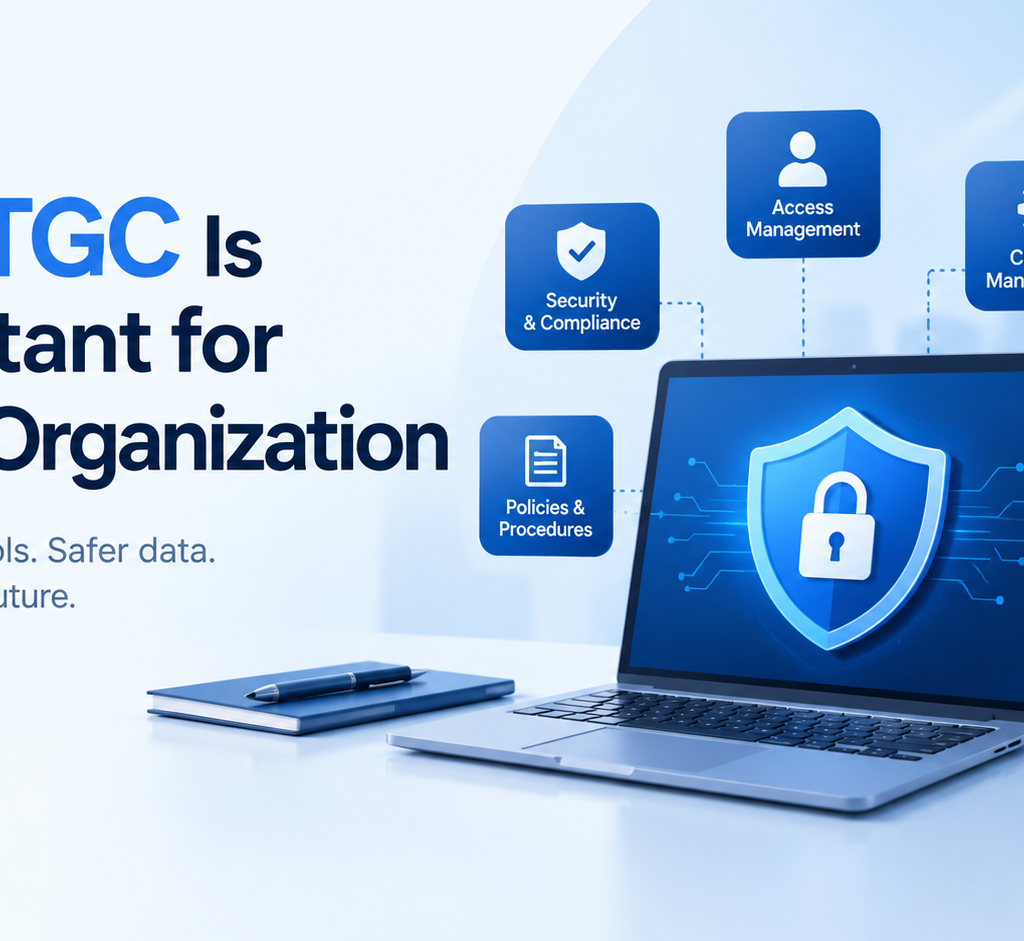
In today’s digital business environment, almost every organization depends on technology to perform daily operations. Companies use applications to manage customer information, financial transactions, employee records, payments, communication, and business processes. While technology makes business faster and more efficient, it also creates risks related to security, access, data accuracy, and system reliability. This is where Information Technology General Controls (ITGC) become important. ITGC refers to the controls, policies, and procedures used to manage and protect an organization’s IT environment. These controls help ensure that technology systems operate properly, information remains secure, and important business processes are supported by reliable IT systems. ITGC is not limited to large multinational companies. Organizations of different sizes and industries can benefit from having appropriate IT controls in place. What Is ITGC? Information Technology General Controls, commonly called ITGC, are controls that support the overall IT environment of an organization. Unlike application-specific controls that focus on individual transactions or business applications, ITGC focuses on the broader technology environment. These controls help create a secure and controlled foundation for applications and business processes. Common areas covered under ITGC include: Access management Change management IT operations Backup and recovery User account management Incident management System development and implementation IT policies and procedures Security monitoring For example, when an employee joins an organization, there should be a process for creating the required user account and providing appropriate access. When the employee leaves, access should be removed or disabled. These activities are examples of access management controls. Why Is ITGC Important? The importance of ITGC has increased as businesses have become more dependent on technology. A weakness in an IT environment can affect data, applications, business operations, and even financial reporting. Here are some important reasons why organizations need ITGC. 1. Protects Sensitive Information Organizations handle large amounts of sensitive information every day. This may include customer information, employee data, financial records, business documents, passwords, and confidential company information. Without appropriate controls, unauthorized individuals may gain access to sensitive systems or information. ITGC helps organizations establish processes for controlling who can access systems and what level of access they should receive. For example, an employee working in HR may need access to employee-related systems but may not need access to financial applications. Appropriate access controls help reduce unnecessary access. 2. Controls User Access Access management is one of the major areas of ITGC. Organizations need to ensure that users receive access based on their job responsibilities. Access should also be reviewed regularly to identify unnecessary or inappropriate permissions. Important access management activities can include: User creation User modification User termination Password management Privileged access management Periodic access reviews Segregation of duties Consider an employee who changes departments. If their previous system access is not removed, they may continue to have permissions that are no longer required. Proper ITGC processes help organizations manage these situations. 3. Reduces Technology-Related Risks Every IT environment has risks. Systems can experience unauthorized changes, incorrect configurations, security incidents, application failures, or data loss. ITGC provides a structured approach to identifying and controlling these risks. For example, change management controls can require changes to be requested, reviewed, tested, approved, and documented before being moved into production. This reduces the possibility of an untested change causing problems in an important business application. 4. Supports Reliable Financial Reporting Technology plays an important role in financial reporting. Organizations often use ERP systems, accounting applications, databases, and other technology platforms to process financial information. If access to these systems is not properly controlled or if unauthorized changes are made, the reliability of financial information can be affected. Strong ITGC can provide supporting evidence that important systems are operating under controlled processes. This is one reason ITGC is commonly associated with frameworks and audits related to financial reporting. 5. Helps During IT Audits Audits require organizations to demonstrate that appropriate controls exist and are operating effectively. During an ITGC audit, auditors may review areas such as: User access Access reviews Terminated user accounts Change requests Change approvals Backup procedures Incident records IT policies System operations Evidence of control performance Organizations with clearly documented processes can make the audit process more structured. Good documentation also helps organizations understand how their controls operate and where improvements may be required. Major Areas of ITGC Although ITGC frameworks can differ between organizations, several control areas are commonly reviewed. Access Management Access management ensures that users have appropriate permissions based on their responsibilities. Controls may cover employee onboarding, role changes, termination, privileged accounts, and periodic access reviews. Change Management Applications and infrastructure are regularly changed to fix problems, introduce new features, or improve performance. Change management controls help ensure that changes are properly requested, tested, reviewed, approved, and implemented. IT Operations IT operations controls focus on the day-to-day functioning of technology systems. This can include job monitoring, system monitoring, incident management, scheduled activities, and operational procedures. Backup and Recovery Organizations need reliable methods for protecting important data. Backup controls help ensure that important information is backed up appropriately and that recovery procedures are available when required. Organizations may also conduct recovery testing to understand whether systems and data can be restored successfully. System Development and Implementation When organizations develop or implement new systems, controls help ensure that development, testing, approval, and deployment activities are appropriately managed. This helps reduce the risks associated with introducing new technology into the production environment. What Happens When ITGC Is Weak? Weak ITGC can create several risks. For example, if terminated employees continue to have access to company systems, there may be an unauthorized access risk. If changes are made directly to production systems without proper testing or approval, system failures or unexpected behavior may occur. Similarly, if backups are not properly monitored or tested, an organization may face difficulties recovering important information after a system failure. Weak documentation can also make it difficult for an organization to demonstrate that controls are operating effectively during an audit. The impact of these weaknesses can vary depending on the organization’s size, systems,

Why ITGC Is Important for Every Organization Read More »

Cybersecurity Future Starts Here

Cybersecurity Career for Students: Skills, Courses, and Future Opportunities

Cybersecurity has become one of the most important and rapidly growing fields in the technology industry. As businesses, governments, and individuals increasingly depend on digital systems, the demand for cybersecurity professionals continues to grow. For students interested in technology, cybersecurity offers exciting career opportunities in areas such as ethical hacking, penetration testing, cloud security, digital forensics, security operations, and risk management. Why Should Students Learn Cybersecurity? Cyberattacks are becoming more advanced, creating a growing need for professionals who can identify vulnerabilities, protect networks, secure applications, and respond to security incidents. Students who start learning cybersecurity early can develop practical technical skills and build a strong foundation for a successful IT career. Cybersecurity is also a field where continuous learning is important. Students can begin with basic computer and networking concepts and gradually move into advanced security technologies and tools. What Does a Cybersecurity Course Teach? A good cybersecurity course can help students understand both fundamental concepts and practical security techniques. Depending on the course level, students may learn: Practical labs and real-world scenarios can help students understand how cybersecurity attacks happen and how security professionals detect and prevent them. Career Opportunities in Cybersecurity After developing the necessary skills, students can explore various cybersecurity career paths. Some popular roles include: Cybersecurity Analyst: Monitors systems, investigates security alerts, and helps organizations respond to threats. Ethical Hacker: Identifies security weaknesses by legally testing networks, applications, and systems. Security Engineer: Designs and implements security solutions to protect IT infrastructure. Penetration Tester: Performs authorized security testing to discover vulnerabilities before attackers can exploit them. Digital Forensics Analyst: Investigates digital evidence and security incidents to determine what happened and how an attack occurred. Cloud Security Professional: Helps protect cloud infrastructure, applications, and data from security threats. How Students Can Start Learning Cybersecurity Students do not need to become experts immediately. The best approach is to build knowledge step by step. Start with computer fundamentals, networking, Linux, Windows, and basic programming. Then move into cybersecurity concepts such as authentication, encryption, vulnerabilities, malware, phishing, and network attacks. After learning the fundamentals, students can practice using cybersecurity labs and security tools. Hands-on experience can help them understand concepts much better than studying theory alone. Certifications and Practical Skills Certifications can also help students demonstrate their knowledge to potential employers. However, certifications should be combined with practical experience. Building projects, participating in cybersecurity labs, solving security challenges, and creating a strong technical portfolio can make a student’s profile more competitive. Conclusion Cybersecurity offers students a promising technology career with opportunities across multiple industries. By developing strong fundamentals, gaining hands-on experience, and completing a structured cybersecurity course, students can build the knowledge and confidence needed to enter the cybersecurity field. Starting early and consistently improving technical skills can help students prepare for the growing demand for cybersecurity professionals.

Cybersecurity Career for Students: Skills, Courses, and Future Opportunities Read More »

AI Cybersecurity Shield Interface

What Is AI Cybersecurity? How Artificial Intelligence Is Changing Cybersecurity

Imagine this. It’s 2:17 AM. A company’s security team is asleep, but thousands of events are happening across its network. An employee’s account is attempting to log in from an unusual location. A device has suddenly started communicating with an unfamiliar server. Hundreds of emails are being sent to employees, and some contain suspicious links. A few years ago, security teams might have had to investigate many of these events manually. Today, artificial intelligence can help security teams make sense of this activity in seconds. It can recognize unusual behavior, connect seemingly unrelated events, identify suspicious patterns, and help security analysts decide which alerts deserve immediate attention. This is where AI cybersecurity comes into the picture. But AI isn’t only helping defenders. Cybercriminals are also using artificial intelligence to create more convincing phishing messages, automate certain activities, and increase the scale and speed of attacks. So what exactly is AI cybersecurity, and why is it becoming so important? Let’s start from the beginning. What Is AI Cybersecurity? AI cybersecurity is the use of artificial intelligence and machine learning to detect, prevent, analyze, and respond to cybersecurity threats. At the same time, AI cybersecurity also involves protecting AI systems themselves from attacks, manipulation, data exposure, and other security risks. In simple terms: AI used for defense Security of AI Detect suspicious activity Protect AI models Identify malware Secure training data Detect phishing Prevent prompt injection Analyze threats Control AI access Automate security tasks Protect AI applications Prioritize alerts Monitor AI behavior This means AI cybersecurity has two sides of the same coin. Organizations can use AI to defend themselves, while they must also defend their AI systems. How Does AI Cybersecurity Work? Think about a security analyst sitting in front of a dashboard. The dashboard may contain millions of pieces of information: A human cannot realistically examine every event individually. This is where AI can help. AI systems can analyze large amounts of security information and look for patterns. For example, imagine an employee named Sarah. Sarah normally logs in from Bangalore between 9 AM and 6 PM. One morning, the system detects: Login → unusual location → unusual device → unusual time → access to sensitive application Each event might look harmless on its own. But when AI connects the events, the overall behavior may look suspicious. The system can then raise an alert for the security team. This is one of the major advantages of AI-powered cybersecurity: it can help identify relationships between events rather than looking at every event in isolation. Why Is AI Important in Cybersecurity? The cybersecurity landscape is becoming more complicated. Organizations now operate across: Every new technology can create another potential attack surface. At the same time, attackers are becoming more sophisticated. The World Economic Forum’s 2026 cybersecurity research reported that 94% of respondents expect AI to be the most significant driver of change in cybersecurity over the coming year. This explains why organizations are increasingly looking at AI not simply as another technology, but as an important part of their security strategy. How Is AI Used in Cybersecurity? Let’s follow our fictional security team, Alex and Priya, through a normal working day. 1. AI Detects Suspicious Activity Alex arrives at the security operations center and sees hundreds of alerts. Instead of treating every alert equally, an AI-powered system can help identify which events appear most suspicious. It may recognize: The result? Security analysts can focus their attention where it matters most. 2. AI Helps Detect Phishing Priya receives an email that appears to come from the company’s finance department. The email asks her to urgently verify her account. At first glance, everything looks legitimate. AI-powered email security can analyze signals such as: It can then identify characteristics associated with phishing. This is becoming particularly important because AI can also help attackers create more convincing social-engineering messages. 3. AI Helps Detect Malware A suspicious file enters the organization. Traditional security technologies can use known signatures to identify previously seen malware. AI and machine learning can provide another layer of analysis by examining characteristics and behavior associated with potentially malicious files. This can help security teams identify suspicious activity even when the exact threat has not previously been encountered. 4. AI Helps With User Behavior Analysis Imagine an employee who normally downloads a few documents every day. Suddenly, the account downloads thousands of files at 3 AM. That doesn’t automatically mean the employee is malicious. Perhaps there is a legitimate business reason. But it is unusual enough to investigate. AI can help establish behavioral patterns and flag significant deviations from those patterns. 5. AI Helps Security Operations Centers Security operations centers can receive huge numbers of alerts. AI can help with tasks such as: This can reduce the amount of repetitive work security analysts need to perform. 6. AI Helps With Vulnerability Management A company might have thousands of vulnerabilities across its infrastructure. The difficult question isn’t always: “Which vulnerabilities exist?” The more important question is: “Which vulnerabilities should we fix first?” AI can help analyze factors such as: This can help security teams prioritize remediation. What Are the Benefits of AI Cybersecurity? AI can provide several advantages when implemented correctly. Benefit How AI Helps Faster detection Analyzes security events rapidly Automation Handles repetitive security tasks Scalability Processes large volumes of data Better prioritization Helps identify important alerts Pattern recognition Finds unusual relationships Faster response Supports security workflows Continuous monitoring Can analyze activity around the clock The biggest benefits include: However, AI isn’t a magic button. And this is where the story takes a different turn. Can AI Also Create Cybersecurity Risks? Yes. The same technology that helps defenders can also create opportunities for attackers. Imagine an attacker who wants to send phishing emails to 10,000 people. AI can potentially help create personalized and convincing messages at scale. Attackers may also use AI to assist with activities such as: This creates an interesting cybersecurity battle. Defenders are using AI to become faster. Attackers are using AI to become faster

What Is AI Cybersecurity? How Artificial Intelligence Is Changing Cybersecurity Read More »

Everything You Need to Know About ITGC and GITC

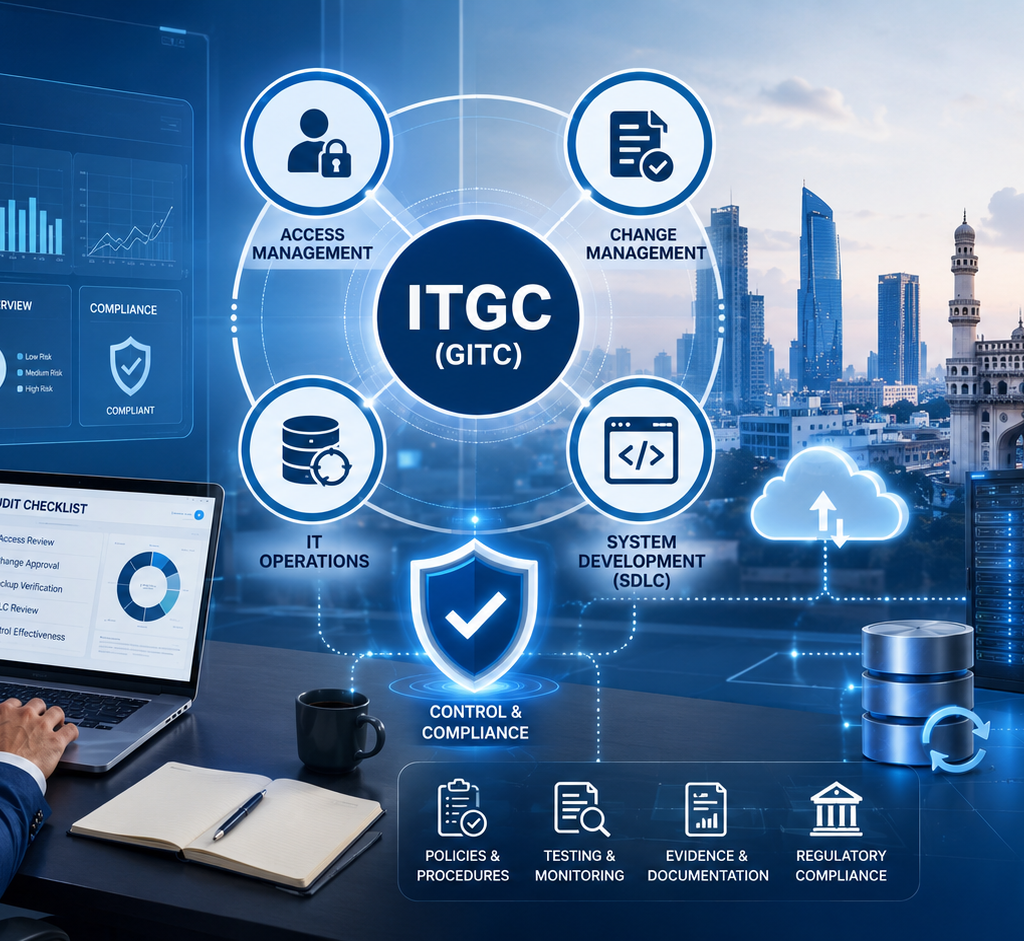
Priya was three months out of her BCom degree, scrolling job listings from a coffee shop in Madhapur, when she saw it: “IT Audit Analyst – ITGC – Freshers Welcome.” She’d never heard the word before. It sounded technical, maybe even coding-related, and she almost scrolled past. A week later, a friend who’d just joined a Hyderabad-based GCC (global capability centre) as an IT Audit intern told her something that changed her mind: “It’s not coding. It’s basically common sense, written down as a checklist. And every big company needs people who can do it.” That checklist is ITGC – Information Technology General Controls. If you’ve also seen the term GITC (General IT Controls, or sometimes General Information Technology Controls) in a job posting and wondered if it’s something different, here’s the short answer: it isn’t. ITGC and GITC describe the exact same set of foundational IT controls; different companies and auditors simply prefer one label over the other. What Exactly Is ITGC, and Why Does Everyone Also Call It GITC? Think of ITGC as the ground rules for how a company’s entire technology environment is run – not any one piece of software, but everything underneath it: who can log into which system, how changes get approved before they go live, how data gets backed up, and how new applications get built and tested. Application-level controls, by contrast, are specific to one piece of software, like a rule inside SAP that stops an invoice from being approved twice. ITGC is the umbrella; application controls sit underneath it. If the umbrella has holes, it doesn’t matter how well-designed the controls under it are – they can be bypassed. This is exactly why ITGC (or GITC) is a phrase you’ll run into constantly if you’re studying for internal audit exams like CIA Part 2, or working anywhere near financial reporting, because a weak ITGC environment can undermine an entire audit. The Four Areas You’ll Actually Test as an Auditor In real audit work, ITGC breaks down into four practical buckets. None of them require you to write a line of code – they require you to look at a process and ask whether the right people can do the right things, and whether there’s evidence of it. Here’s what each one actually means in plain language, and the kind of question an auditor asks to test it: Control Area What It Covers Auditor’s Test Question Access Management Who can log into systems, view or edit data, and how permissions are granted or removed If an employee leaves today, is their access removed within 24 hours? Change Management How updates to systems get approved, tested, and deployed Was this change to the payroll system approved and tested before going live? IT Operations Backups, recovery, job scheduling, and incident handling If the server crashed tonight, could we restore last night’s data by morning? System Development (SDLC) How new applications and systems are built, tested, and rolled out Was this new finance module tested by someone other than the developer before go-live? Notice a pattern? Every single question above is really just “who can do this, and can we prove it was done properly?” That’s the entire mental model behind ITGC. Once that clicks, the rest of the subject stops feeling like jargon and starts feeling like common sense with a checklist attached. Why This “Boring” Topic Became a Hot Hyderabad Career Here’s the part that surprises most freshers: ITGC isn’t a niche corner of IT. It’s a requirement. Public companies under U.S. law (SOX Section 404) must prove their IT controls over financial reporting are effective, and weak ITGC can trigger a formal “material weakness” finding – the kind of thing that makes headlines and costs jobs. Beyond SOX, frameworks like SOC 1, SOC 2, ISO 27001, and COBIT all lean on the same foundation of general IT controls. Hyderabad has turned into one of India’s biggest hubs for exactly this kind of work, largely because of the Global Capability Centre (GCC) boom – the in-house teams that MNCs set up in India to run finance, audit, and technology operations for their global parent companies. These GCCs need people who can test and document controls locally, on behalf of the parent company’s global audit, which is precisely the ITGC skill set. Search any job board today and you’ll find IT Audit Analyst, Internal Audit, and ITGC-and-SOX-testing openings posted out of Hyderabad on a near-daily basis, alongside similar demand in Bengaluru and Mumbai. For a fresher, that means the skill you’re learning isn’t theoretical – it’s actively being hired for, right now, close to home, and often without requiring you to relocate to a different city first. How Much Can You Actually Earn With ITGC Skills? Money is usually the second question after “what does this even mean,” so let’s address it directly. Industry salary data (Payscale, Glassdoor, and related sources, 2026) shows a fairly clear progression for IT audit and ITGC professionals in India: (Illustrative composite based on Payscale, Glassdoor, and industry salary data, 2026; actual pay varies by company and city.) A fresher with 0-2 years of experience can expect to start in the ₹5-6 lakh range, moving toward the national average for IT auditors of roughly ₹8.8 lakh as they gain 2-4 years of hands-on testing experience. Auditors who move into senior or consultant-level roles – especially in metro hubs – often land in the ₹12-15 lakh range, and audit managers can cross ₹20 lakh. None of these numbers are guaranteed, and they’ll vary by company and city, but the direction is consistent: this is a career that rewards a few years of real experience quickly. Do You Need a Coding or Finance Background to Learn ITGC? No, and this is the detail that surprises most people. ITGC work is about evaluating whether a control exists and works as intended, not about writing software or crunching balance sheets. You don’t need to be a programmer, and you don’t need to

Everything You Need to Know About ITGC and GITC Read More »

Scroll to Top